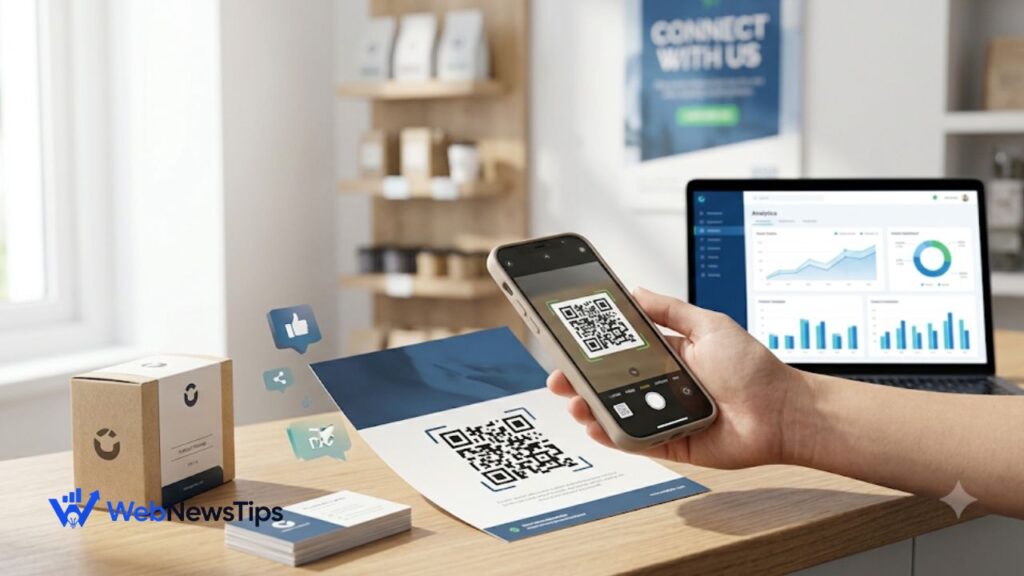
A small square of black-and-white pixels can do something surprisingly useful for a business: it can turn a physical moment into a digital action. A customer may see a poster, menu, product box, receipt, table tent, business card, or storefront sign. With one quick scan, that person can move from the offline world to a landing page, review form, product video, booking page, coupon, social profile, or any other digital destination you choose.
That is why QR codes for business marketing work best when they are treated as a bridge rather than a decoration. The code itself is not the campaign. The real value comes from what happens after the scan. A useful destination, a clear reason to scan, and a simple next step can turn ordinary printed material into an interactive marketing channel.
If you need to create one quickly, you can use the free QR Code Generator on WebNewsTips and then connect it to the campaign idea that fits your business.
Why QR Codes Still Work for Modern Marketing
People are used to moving between physical and digital experiences. They see a product in a shop and check reviews online. They notice a restaurant sign and open the menu on their phone. They pick up a flyer and want to know prices, availability, or location details without typing a long web address. A QR code removes that friction.
For small businesses, this is especially practical because the same printed space can do more than one job. Instead of squeezing a full website address, phone number, social handle, discount details, and booking instructions onto a card, you can use a short call to action beside a QR code. The customer scans, and the digital page carries the rest.
QR codes also make offline campaigns easier to measure. A printed flyer normally tells you very little about what happened after it was handed out. But if its QR code points to a dedicated page or trackable link, you can compare scans, visits, sign-ups, or sales from different placements. That turns print from a guessing game into something you can learn from.
1. Turn Business Cards Into Mini Landing Pages
A traditional business card runs out of space quickly. Instead of listing every service and social profile, place a QR code on the back with a simple line such as “Scan to see services and contact options.” The code can open a mobile-friendly page containing your phone number, WhatsApp link, email, portfolio, map location, and booking button.
This is useful for freelancers, consultants, real estate agents, photographers, salon professionals, tradespeople, and local service providers. The physical card remains clean, while the digital destination can be updated whenever your offers or contact details change.
2. Add QR Codes to Product Packaging
Packaging is valuable marketing space because the customer already has your product in hand. A QR code can lead to a setup guide, care instructions, recipe ideas, video demonstration, warranty registration, reorder page, or a related product collection.
The strongest idea is to connect the scan with the exact moment the customer is experiencing. A skincare product could link to a short usage routine. A food brand could link to serving ideas. A handmade product could link to the story behind the item. This kind of content can reduce confusion, build trust, and give the customer another reason to return to your brand.
3. Make Flyers and Posters Interactive
Flyers and posters are often good at getting attention but weak at handling the next step. QR codes solve that problem. A gym poster can open a free-trial form. A property flyer can open a virtual tour. A tutor can link to available class times. An event poster can open ticket registration.
Place the code where it can be scanned comfortably, and do not make people guess what will happen. A message like “Scan for prices,” “Scan to book,” or “Scan for the full menu” usually performs better than showing a code with no explanation.
4. Use Different QR Codes for Different Locations
One of the smartest uses of QR codes for business marketing is campaign tracking. Imagine you print the same offer on counter cards, shopping bags, local flyers, and event banners. If every placement uses the same destination link, you may know total traffic but not which location produced it.
Instead, create separate trackable links or campaign parameters for each placement before generating the QR codes. You can then see which physical location drives the most visits or conversions. This is the offline version of testing digital ads: you spend more on what works and stop repeating what does not.
For a broader look at measuring website traffic and campaign activity, read the Google Analytics 4 guide for beginners.
5. Collect More Customer Reviews
Happy customers often intend to leave a review and then forget. A QR code can shorten the path. Put one on receipts, thank-you cards, table displays, service completion cards, or checkout signage. Instead of linking to your homepage, send the customer as close as possible to the actual review action.
Timing matters. Ask after a positive experience, not before the customer has received the product or service. Keep the wording friendly and simple, such as “Enjoyed your visit? Scan to share your feedback.” Do not pressure customers or tell them what rating to give. The goal is to make honest feedback easier.
6. Build Email and SMS Lists From Offline Traffic
A physical shop, market stall, trade show, event, café, clinic, or local office may receive plenty of visitors who never follow the brand online. A QR code can convert some of that foot traffic into a list you can reach later.
The destination could offer a useful reason to sign up: a discount, checklist, mini guide, loyalty benefit, early access, appointment reminder, or product update. Make the value clear before the scan. “Scan to join our newsletter” is weaker than “Scan for 10% off your next order” when a discount genuinely fits the business.
7. Create Digital Menus and Service Lists
Restaurants made QR menus familiar, but the same idea works for many businesses. Salons can link to service lists and prices. Repair shops can link to service packages. Clinics can link to preparation instructions. Event vendors can link to packages. Retailers can link to seasonal collections.
The benefit is flexibility. Printed material can stay simple while the linked page is updated when prices, availability, or offers change. Just make sure the page loads quickly on mobile and does not force the customer through several unnecessary screens.
8. Put Helpful QR Codes on Receipts and Invoices
Receipts and invoices are usually treated as the end of a transaction, but they can also start the next one. A small QR code can point to reorder options, support, a referral offer, feedback form, maintenance instructions, or a related service.
For example, a home service company could add “Scan to book your next maintenance visit.” An online seller could add a QR code to an insert that opens a product help page. The best follow-up action depends on what the customer is likely to need next.
9. Use QR Codes at Events and Trade Shows
Events move quickly, and people rarely want to type URLs while standing in a busy booth. QR codes can collect leads, open product demos, share brochures, register attendees, or connect visitors to a special event offer.
A useful trick is to create an event-specific landing page rather than sending everyone to your general homepage. The page can continue the exact message used at the booth, which makes the experience feel connected and gives you a cleaner way to measure the event.
10. Add QR Codes to Storefronts and Window Displays
A storefront keeps marketing even when the business is closed. A QR code in the window can let people browse products, check opening hours, join a waitlist, book an appointment, view a property listing, or place an order after hours.
This is particularly useful for local businesses that depend on nearby foot traffic. If local growth is a priority, the guide on how to grow your local business using digital marketing gives more ideas for connecting local visibility with online actions.
11. Create Scannable Coupons and Limited-Time Offers
QR codes are a natural fit for promotions because the scan can take people straight to the offer. You might place the code on packaging, table tents, postcards, delivery inserts, or local ads. The linked page can reveal a coupon code, open a sale collection, or explain the terms of a promotion.
Avoid using QR codes simply to hide information people should see before scanning. If the offer has an expiry date, minimum spend, location restriction, or important condition, make those details easy to find. Trust matters more than creating curiosity.
12. Use QR Codes to Deliver Useful Content
Not every scan needs to lead to a sales page. Helpful content can be a better first step. A gardening store could link to a planting guide. A fitness coach could link to a warm-up video. A software company at an event could link to a beginner tutorial. A financial service could link to a checklist explaining what documents customers need.
Useful content earns attention because it solves a problem in the moment. It can also introduce people to the rest of your website naturally. If you want to plan this kind of content more deliberately, this content marketing guide explains how helpful content can support business growth.
Best Practices Before You Print a QR Code
• Give people a reason to scan. Use a clear call to action that tells the customer what they will get.
• Send users to a mobile-friendly page. Most scans happen on phones, so slow or awkward desktop pages waste the opportunity.
• Test the code before publishing. Scan it on more than one phone when possible and confirm the final destination works.
• Leave enough clear space around the code. Crowded graphics and poor contrast can make scanning harder.
• Do not make the code too small. The viewing distance matters; a poster needs a larger code than a business card.
• Track important campaigns. Use dedicated URLs or campaign parameters so you can compare placements.
• Keep the destination useful over time. If printed material will remain in circulation, avoid linking to pages that may disappear quickly.
• Protect customer trust. Do not use misleading calls to action, hidden charges, or unnecessary data collection.
How to Measure Whether Your QR Campaign Is Working
Scanning activity is only the first signal. A campaign can generate many scans and still fail if the landing page is confusing. Decide what success means before you print anything. For one campaign it may be bookings. For another it may be coupon redemptions, email sign-ups, product views, downloads, reviews, or purchases.
Compare placements instead of looking only at totals. If 500 flyers produce 40 visits but a counter sign produces 120 visits in the same period, that tells you something useful about customer context. You can then improve the offer, call to action, page design, or physical placement and test again.
For more practical online promotion ideas, explore the Digital Marketing guides on WebNewsTips.
Final Thoughts
The most creative QR code campaigns are usually not the most complicated ones. They simply remove a small piece of friction at the right moment. A customer sees something physical, wants more information or wants to take action, and the scan gets them there quickly.
Start with one useful use case instead of putting QR codes everywhere. Choose a real customer need, create a focused mobile destination, explain why the person should scan, and track the result. Once you see what people actually use, you can expand the idea across packaging, print, events, storefronts, receipts, and other marketing materials.
Used this way, QR codes for business marketing become more than a shortcut to a website. They become a practical connection between offline attention and digital engagement.