A meta description is a small piece of text, but it can make a big difference in how people react to your page in search results. It is often the short summary users see below your page title. When it is clear, helpful, and relevant, it can encourage more people to click. When it is vague, too long, or stuffed with keywords, users may skip your result even if your page is useful.
That is why many website owners want to learn how to write meta descriptions the right way. The goal is not to trick search engines. The goal is to explain the page in a way that matches the searcher’s need and gives them a reason to visit your site. A good description works like a short promise. It tells readers what they will find and why the page is worth their time.
In this guide, you will learn a simple step-by-step process for writing clickable meta descriptions. You will also see how to avoid common mistakes, how to use an AI meta generator wisely, and how to check your description before publishing.
What Is a Meta Description?
A meta description is an HTML tag that summarizes the content of a web page. It is added in the page’s head section, usually through your CMS or SEO plugin. In WordPress, for example, SEO plugins allow you to write a custom description for each post or page without touching code.
Search engines may use your meta description as the snippet in search results. They may also rewrite it if another part of your page better matches the user’s search. This means you cannot fully control every snippet that appears. Still, writing a strong description gives search engines a useful summary to consider and gives users a better preview of your content.
Why Meta Descriptions Matter for SEO
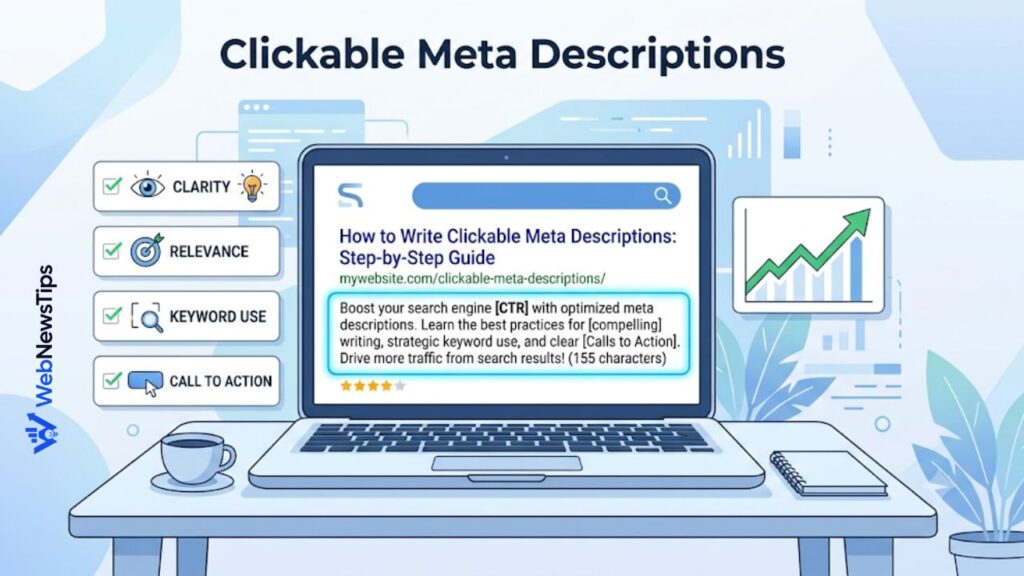
Meta descriptions are not mainly about adding rankings through repeated keywords. Their real value is click-through rate, also called CTR. When your page appears in search results, users quickly compare your title, URL, and description with other results. If your description answers their question better, they are more likely to click.
A higher CTR can bring more visitors from the same ranking position. For example, two pages may appear near each other, but the page with a clearer description can win more clicks because it feels more useful. This is why meta descriptions matter for SEO performance, content marketing, service pages, product pages, and blog posts.
Step 1: Understand the Search Intent
Before writing a meta description, ask one simple question: what does the searcher want? Search intent is the reason behind the search. Some people want a definition. Some want a step-by-step guide. Some want a tool. Others want a product, comparison, or local service.
For the keyword how to write meta descriptions, the intent is informational. The reader wants practical guidance. They do not only want a definition. They want tips, examples, and a process they can follow. So the description should promise a clear guide, not a sales pitch.
Step 2: Keep It Clear and Specific
A weak meta description often sounds generic. It says things like “Learn everything about SEO” or “Read our complete guide today.” These phrases are too broad. They do not tell the searcher what makes the page useful.
A better meta description gives specific value. It explains the exact topic and the benefit. For example: “Learn how to write meta descriptions that match search intent, improve CTR, and avoid common SEO mistakes.” This is more useful because it shows what the reader will gain.
Step 3: Use the Focus Keyword Naturally
Your focus keyword should appear naturally in the description when it fits. For this article, the focus keyword is how to write meta descriptions. Using it once can help the snippet feel relevant to the searcher. However, repeating it again and again will not make the description stronger.
Searchers scan results quickly. If they see words that match their query, they may feel the page is relevant. But the description must still read like a normal sentence. A natural keyword placement is better than a forced one.
Bad example: “How to write meta descriptions guide for how to write meta descriptions and how to write meta descriptions fast.” This looks spammy and hard to read. Good example: “Learn how to write meta descriptions that improve clicks with simple tips, examples, and a clear editing checklist.”
Step 4: Add a Real Benefit
A clickable meta description gives the user a reason to choose your page. The benefit does not have to be dramatic. It just needs to be clear. Tell the reader what problem your page solves.
For a guide article, the benefit may be “write better snippets,” “increase CTR,” “avoid keyword stuffing,” or “create descriptions faster.” For a product page, the benefit may be “compare features,” “check pricing,” or “find the right option.” For a service page, it may be “see what is included” or “request a quote.”
Step 5: Include a Soft Call to Action
A call to action tells the reader what to do next. In a meta description, it should feel natural, not pushy. Simple phrases like “learn,” “discover,” “compare,” “check,” “find,” and “get tips” work well because they match common search behavior.
A strong call to action can fit at the start or end of the description. For example: “Learn how to write meta descriptions that improve CTR with clear examples, simple formulas, and an easy final checklist.”
Step 6: Watch the Length
Meta descriptions do not have one fixed perfect length because search results can display snippets differently. Still, many SEO writers aim for a short, complete description that usually stays around 150 to 160 characters. This is not a strict rule, but it is a useful writing target.
The main goal is to avoid cutting off the most important message. Put the key benefit early. If the ending is shortened in search results, the reader should still understand the page.
A helpful tool can make this easier. You can use the Character Counter on WebNewsTips to check the length of your description before publishing. This helps you keep your snippet tight without guessing.
Step 7: Match the Page Content
A meta description should describe the page honestly. If your description promises templates, the page should include templates. If it promises a checklist, the page should include a checklist. If it says “free tool,” the page should clearly show the tool.
Misleading descriptions may increase clicks for a short time, but they can hurt trust. Users may bounce quickly if the page does not match the snippet. That is bad for the reader and bad for your brand.
Step 8: Use an AI Meta Generator the Smart Way
AI tools can help you write faster, especially when you need descriptions for many pages. But an AI meta generator should not replace human review. It should give you options, not the final answer without checking.
Start by entering the page topic, focus keyword, target audience, and main benefit. Then review the generated versions. Choose the one that sounds clear and accurate. Edit it to match your page and brand voice.
The free Meta Description Generator on WebNewsTips can help you create description ideas for blog posts, pages, products, and SEO content. Use it to save time, then polish the output so it sounds natural and specific.
Step 9: Write More Than One Version
The first version is not always the best. Write three to five options before choosing one. This gives you room to compare different angles. One version may focus on the benefit. Another may focus on the step-by-step process. Another may include a stronger call to action.
For example, one option could be: “Learn how to write meta descriptions that improve CTR with simple steps, examples, and common mistakes to avoid.” Another could be: “Create better meta descriptions with a clear formula, helpful tips, and an easy checklist for SEO-friendly snippets.”
Step 10: Connect Your Title, Slug, and Description
A meta description works best when it supports the title and URL. These three elements should feel connected. If the title says “Step-by-Step Guide,” the description should also suggest a process. If the slug is about meta descriptions, the description should not drift into unrelated SEO topics.
You can use the AI Title Generator to brainstorm title ideas and the Slug Generator to turn a long title into a clean URL. This keeps your search snippet neat and easier to understand.
Common Meta Description Mistakes
Many meta descriptions fail because they try to do too much. Some are too long. Some repeat the keyword too many times. Some are so generic that they could fit any page. Others use hype that does not match the content.
Avoid these common mistakes: writing the same description for many pages, ignoring search intent, stuffing keywords, using vague phrases, adding false promises, and forgetting to include a benefit. Also avoid writing only for search engines. Real people read snippets, so the copy must sound human.
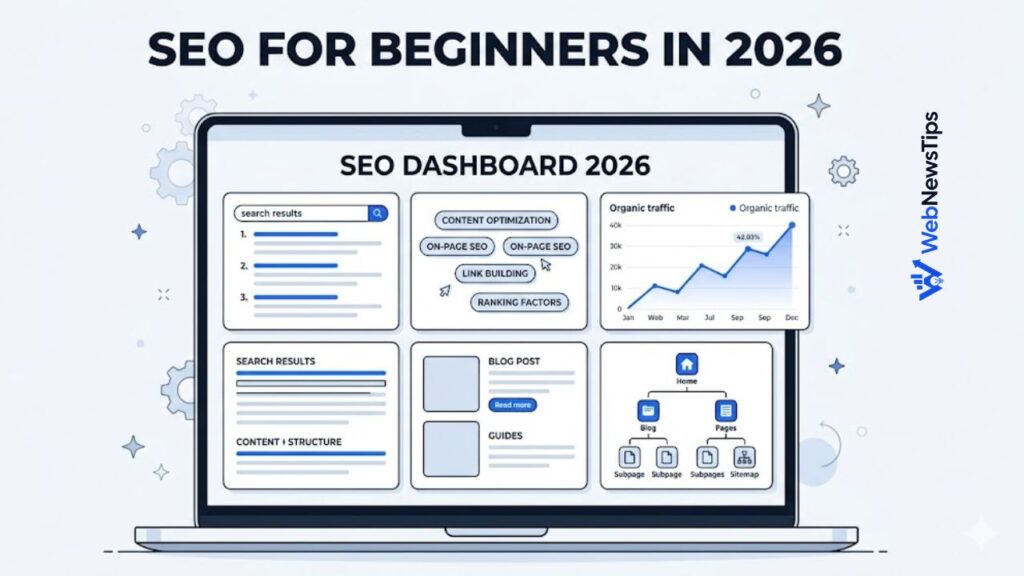
If you are new to SEO, the SEO for Beginners guide can help you understand how titles, descriptions, keywords, and content structure work together.
Simple Formula for Clickable Meta Descriptions
A simple formula can make writing easier: action word + topic + benefit + extra detail. For example: “Learn how to write meta descriptions that improve CTR with practical tips, examples, and a final checklist.”
This formula works because it is clear. “Learn” is the action. “How to write meta descriptions” is the topic. “Improve CTR” is the benefit. “Tips, examples, and checklist” gives extra detail.
Meta Description Examples
Here are a few examples for different page types. For a blog post: “Learn how to write meta descriptions that improve CTR with simple tips, clear examples, and mistakes to avoid.” For a service page: “Need SEO content support? See how our writing process helps create clear pages, better snippets, and search-friendly content.” For a tool page: “Generate SEO-friendly meta description ideas for blogs, pages, and products with a free beginner-friendly tool.”
Final Checklist Before Publishing
Before you publish, run through a quick checklist. Does the description match the search intent? Does it include the focus keyword naturally? Does it explain a clear benefit? Is the most important message near the beginning? Is it short enough to scan easily? Does it sound like a real person wrote it?
Also check whether the page itself supports the promise. If your description says the article includes examples, make sure examples are actually included. If you mention a tool, link to the tool. If you mention a checklist, add a checklist.
For longer content planning, you can use the Blog Outline Generator before writing the article. A strong outline makes it easier to write a description that matches the final content.
Conclusion
Learning how to write meta descriptions is not about chasing a perfect character count or repeating keywords. It is about understanding what the reader wants and giving them a clear reason to click. A good description is short, honest, specific, and useful.
Start with search intent. Use your focus keyword naturally. Add a real benefit. Keep the message tight. Then review the description with a human eye before publishing. AI tools can help you move faster, but your final version should still sound accurate and natural.
When your title, slug, content, and meta description all work together, your search result becomes easier to trust. That is what makes a meta description clickable.