A website can have great content, useful pages, and helpful tools, but search engines still need a clear way to discover what exists on that website. This is where an XML sitemap becomes important. It works like a clean directory of your important URLs and helps search engines understand which pages you want them to know about. For bloggers, WordPress users, small business owners, and SEO beginners, learning the importance of XML sitemaps is one of the simplest technical SEO steps that can improve website organization and crawl discovery.
An XML sitemap does not magically guarantee rankings, and it does not replace high-quality content or internal linking. However, it gives search engines a structured list of important pages, posts, categories, tools, and media URLs. When your site grows, old pages are updated, or new content is published regularly, a sitemap makes it easier to keep search engines informed. This guide explains what an XML sitemap is, why your website needs one, how a sitemap URL list generator helps, and how to submit your sitemap to Google Search Console.
What Is an XML Sitemap?
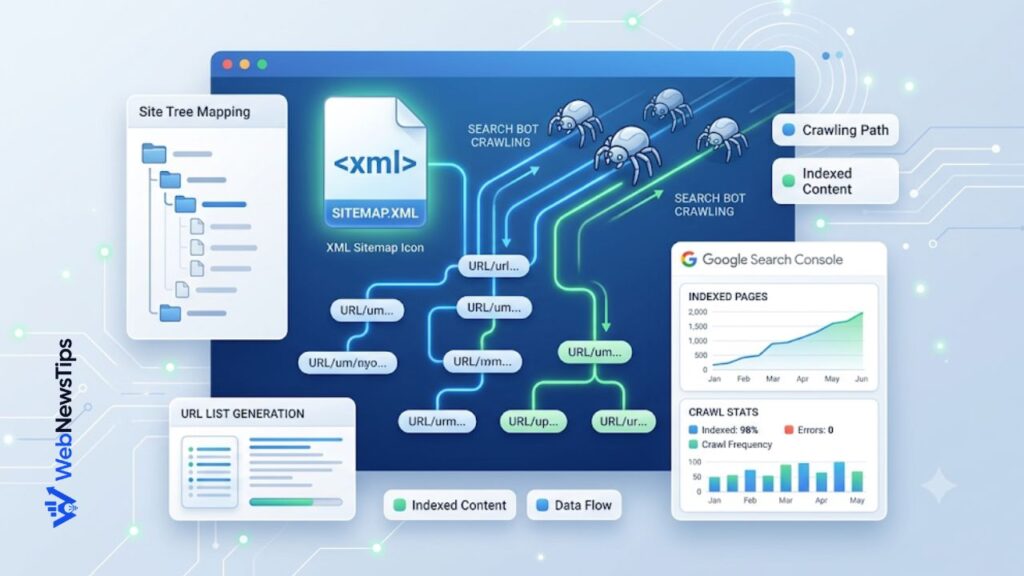
An XML sitemap is a file that lists important website URLs in a search-engine-friendly format. The file is usually available at a simple address such as yourdomain.com/sitemap.xml or yourdomain.com/sitemap_index.xml. Inside the file, each URL is placed in a structured format so search engines can read it quickly.
A basic XML sitemap can include the page URL, last modified date, and sometimes other details. Larger websites may use a sitemap index that links to multiple smaller sitemaps for posts, pages, categories, authors, or media files.
Think of an XML sitemap as a helpful map for crawlers. It does not force search engines to index every URL, but it shows which pages are important enough to be discovered and considered. That is why it is a key part of Technical SEO Guide for Beginners and a useful setup step for almost every growing website.
Why the Importance of XML Sitemaps Matters for SEO
The importance of XML sitemaps comes from one simple idea: search engines cannot rank a page they have not discovered. Search engines usually find pages through links, but not every website has perfect internal linking. Some pages may be new, some may be buried deep in the site structure, and some may not have many external backlinks. A sitemap helps reduce the chance that important pages remain hidden.
For a new website, an XML sitemap is especially useful because the site may not have many backlinks yet. Submitting a sitemap gives search engines a direct location where they can find your important URLs.
For a large website, a sitemap helps organize many URLs. If you publish blogs, tools, landing pages, product pages, or knowledge base articles, your sitemap can help crawlers find what should be reviewed.
How XML Sitemaps Help Search Engines Discover Pages
Search engines use crawlers to visit websites, follow links, read pages, and understand content. Crawlers can discover pages through menus, category links, breadcrumbs, related posts, and internal links, but weakly connected pages may be harder to find.
An XML sitemap gives crawlers a central list of URLs, so discovery does not rely only on menus or links. This is useful for newly published, recently updated, or deeper pages.
Still, a sitemap should work together with internal linking. A sitemap can help discovery, but internal links help users and search engines understand relationships between pages. For example, if you are writing about website structure, you can naturally link to SEO for Beginners, Free SEO Tools, and your Sitemap URL List Generator so readers can continue learning and using practical tools.
Which Websites Need an XML Sitemap?
Most websites can benefit from having an XML sitemap, but some need it more than others. If your site is new, large, updated often, or has pages that are not easily reached from the homepage, a sitemap is strongly recommended.
A small website with only a few pages and strong internal navigation may not depend heavily on a sitemap. Still, many small sites use one because it is easy to create and simple to submit.
A sitemap becomes more important when your content strategy grows. If you publish tutorials, list posts, comparison pages, tools, or WordPress guides, it gives you and search engines a clearer overview of public URLs.
What Should You Include in an XML Sitemap?
A good sitemap should include only important, indexable, canonical URLs. This means you should include pages that you actually want to appear in search results. Your homepage, important blog posts, main pages, tool pages, category pages, and helpful resources are usually good candidates.
Avoid duplicate URLs, thin pages, admin pages, search result pages, checkout pages, login pages, private pages, and URLs blocked by robots.txt. If a page has a noindex tag, it usually should not be in your sitemap.
Use full absolute URLs. Instead of /blog-post/ only, use https://example.com/blog-post/. Choose the correct HTTPS and www or non-www version of your domain and stay consistent.
How to Generate an XML Sitemap Step by Step
The easiest way to generate an XML sitemap depends on your platform. WordPress users can often use SEO plugins or built-in sitemap features. Hosted platforms may generate sitemaps automatically. Custom sites may need a developer, server-side script, or sitemap tool.
Step 1: Make a list of your important URLs. Before creating the XML file, collect your important pages in one place. This is where the Sitemap URL List Generator can help. You can paste page URLs, organize them clearly, and prepare a clean list for sitemap planning, SEO audits, and internal linking review.
Step 2: Remove unnecessary URLs. Review the list and remove duplicate pages, private pages, tag pages with no value, paginated URLs that should not be indexed, and any URL that does not belong in search results. A clean sitemap is better than a long sitemap filled with low-quality URLs.
Step 3: Choose your sitemap creation method. WordPress users can check SEO plugin settings. Custom websites can generate a dynamic XML sitemap from the database. Small sites may use a trusted sitemap generator and upload the file to the site root.
Step 4: Check the sitemap URL. After generation, open the sitemap URL in your browser. Make sure it loads correctly, uses the right domain version, and does not show a 404 error. The sitemap should be accessible without a login.
Step 5: Add the sitemap to robots.txt if needed. A robots.txt file can include Sitemap: https://example.com/sitemap.xml. Use the Robots.txt Generator for basic crawl rules and avoid blocking important pages.
How a Sitemap URL List Generator Helps Before Submission
A sitemap URL list generator does not replace the actual XML sitemap file, but it is very useful for planning. Many site owners create pages over time without keeping a clean record of important URLs.
The Sitemap URL List Generator helps you organize homepage links, blog posts, category pages, service pages, tool pages, and resources in one clean list. This makes it easier to spot missing, duplicate, outdated, or weakly linked URLs.
For SEO beginners, this turns technical SEO into a simple checklist: prepare the URL list, decide what should be indexed, create or update the sitemap, then submit it to Search Console.
How to Submit an XML Sitemap to Google Search Console
After your XML sitemap is ready and accessible, submit it to Google Search Console. Open Search Console, choose the correct property, go to Sitemaps under indexing, enter sitemap.xml or sitemap_index.xml, and click Submit.
Search Console will not upload the file for you. It simply tells Google where your sitemap is located on your website. After submission, you can review the status, last read date, discovered URLs, and any errors that Google finds while processing the sitemap.
If you see an error, check whether the sitemap opens in a browser, is blocked by robots.txt, redirects incorrectly, or has broken XML. Fix issues first, then resubmit or wait for Google to recrawl.
Best Practices for XML Sitemaps
Keep your sitemap clean and focused. Include URLs that matter for search. Use canonical URLs, avoid redirects, and remove broken pages, noindex pages, and 404 URLs.
Keep your sitemap updated. When you publish a new article, update a page, or delete outdated content, the sitemap should reflect those changes.
Use accurate last modified dates. Do not update lastmod just to make a page look fresh. Use it when the main content meaningfully changes.
Split very large sitemaps when needed. A single sitemap has size and URL limits, so bigger websites should use multiple sitemaps and a sitemap index. This makes large websites easier to manage and helps you diagnose issues by sitemap type.
Common XML Sitemap Mistakes to Avoid
One common mistake is adding every possible URL. More URLs do not automatically mean better SEO. A sitemap should be selective and focused on important, indexable pages.
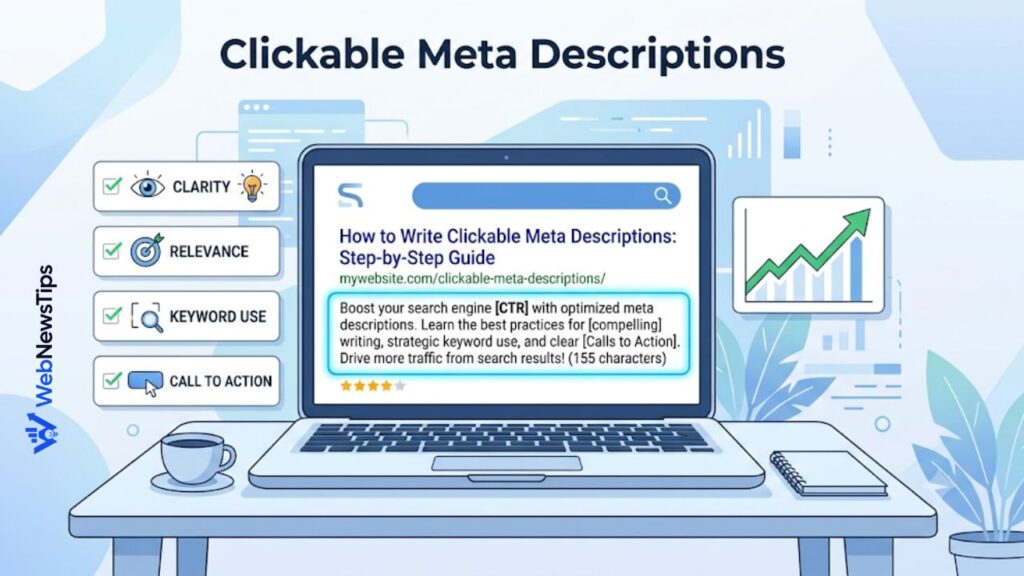
Another mistake is ignoring internal links. Some website owners create a sitemap and then forget about site structure. Your important pages should still be linked from menus, categories, related posts, or other relevant pages. For content planning, tools like the Slug Generator and Meta Description Generator can also help you keep pages cleaner before publishing.
A third mistake is submitting the wrong sitemap version. Make sure you submit the sitemap for the verified property in Search Console. If your site uses https://webnewstips.com/, do not submit an HTTP or unrelated domain version. Keep the domain, protocol, and sitemap path consistent.
Final Thoughts
Understanding the importance of XML sitemaps matters for anyone who wants better technical SEO foundations. A sitemap helps search engines discover important URLs, understand structure, and process new or updated content more efficiently.
Start by organizing important URLs, removing anything that should not be indexed, and generating a clean sitemap through your CMS, plugin, developer, or sitemap tool. Then submit it to Google Search Console and monitor errors.
If you are improving your website step by step, use WebNewsTips tools to support the process. Prepare your sitemap planning list with the Sitemap URL List Generator, review crawl rules with the Robots.txt Generator, and keep improving your SEO foundation.