Internal links are not just small clickable words inside a blog post. They are part of your website structure, your user journey, and your SEO strategy. When a website has strong content but weak internal links, important pages can sit hidden with very little traffic. Search engines may find them slowly, and readers may leave before discovering your best guides, tools, or service pages.
A clear internal linking strategy fixes this problem. It connects related pages, shows which pages are most important, and helps visitors move from one useful resource to the next. It also helps search engines discover pages and understand how topics are connected on your site. The goal is not to add random links everywhere. The goal is to build a smart path that supports both users and rankings.
What Is an Internal Linking Strategy?
An internal linking strategy is a plan for linking one page of your website to another page on the same domain. These links may appear in menus, breadcrumbs, sidebars, footers, related posts, or inside the main body content. The most valuable internal links usually appear naturally inside helpful content because they guide the reader to a relevant next step.
For example, if you write a guide about SEO basics, it makes sense to link to a deeper article about technical SEO, a tool for checking title length, or a resource about sitemap planning. A reader who wants to learn more gets a useful path. Search engines see a stronger relationship between them.
A good strategy answers three simple questions: which pages are most important, which pages support those important pages, and what anchor text should connect them? Once you answer these questions, internal linking becomes easier to manage.
Why Internal Links Matter for SEO Rankings
Search engines discover many pages by following links. Google also says links help it find pages, and clear SEO practices make it easier for search engines to crawl, index, and understand content. Internal links support that process because they create routes from one page to another.
Internal links also help distribute link equity, often called link juice in everyday SEO language. Link equity means the value or authority that can flow through links. If one strong page receives traffic and backlinks, linking from that page to a relevant supporting page can help that supporting page get discovered and understood more clearly.
This does not mean one internal link will instantly push a page to the top of Google. SEO is never that simple. But a strong internal linking structure can improve crawl paths, reduce orphan pages, support topical authority, and make important pages easier to reach. These are real ranking support signals because they improve both structure and user experience.
Step 1: Make a List of Your Important URLs
Before you add links, you need to know what pages exist. Start with a simple URL inventory. List your homepage, main categories, service pages, pillar guides, blog posts, tool pages, product pages, and landing pages. This gives you a clear view of your website.
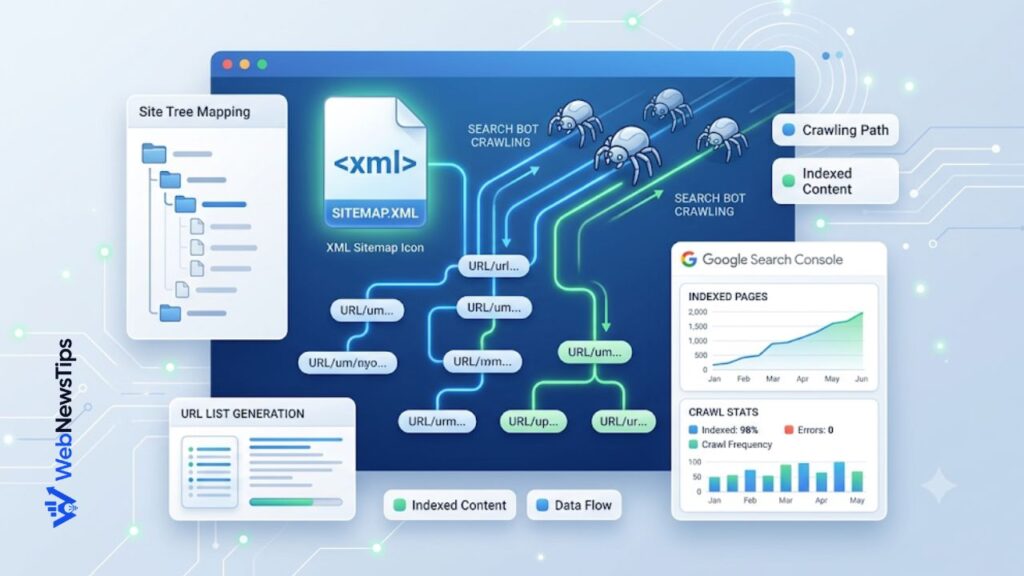
A simple way to begin is to organize your pages with the Sitemap URL List Generator. It helps you prepare a clean URL list for sitemap planning, content audits, website structure, and internal linking work. Once all URLs are visible, you can quickly spot pages that need more links, pages that overlap, and pages that should become part of the same topic group.
Group the URLs by topic. For example, an SEO website may have groups for keyword research, on-page SEO, technical SEO, content writing, WordPress SEO, and SEO tools. This grouping becomes the base of your internal linking map.
Step 2: Build a Simple Site Hierarchy
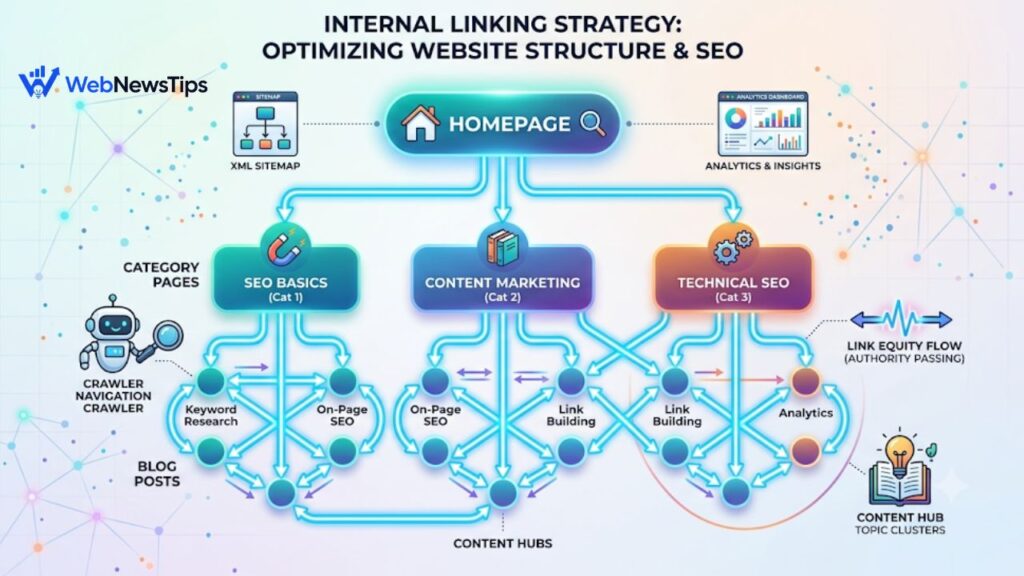
A strong website hierarchy usually starts with the homepage, moves into main categories, then goes into subcategories, guides, and supporting posts. Think of it like shelves in a library. The homepage is the building entrance. Category pages are the main shelves. Individual posts and tools are the books placed under the right shelf.
A simple structure helps users understand where they are. It also helps search engines see which pages are broad, which pages are specific, and which pages deserve more attention. If every page links to every other page without a reason, the structure becomes confusing. If pages only sit alone with no links, they become hard to find.
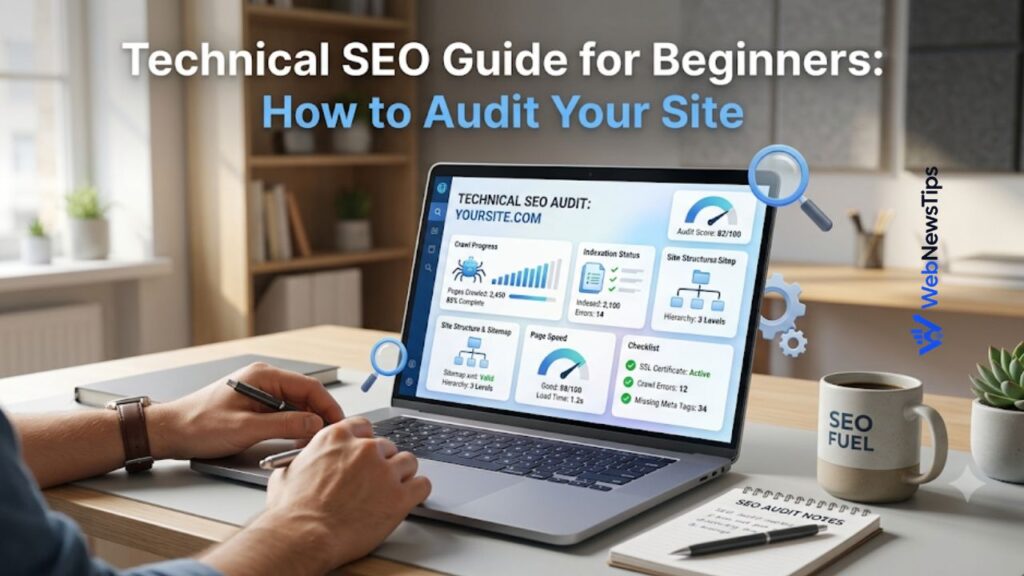
For deeper technical checks, connect this process with the Technical SEO Guide for Beginners. That guide explains crawlability, site architecture, broken links, sitemaps, and orphan pages, important for internal linking success.
Step 3: Create Pillar Pages and Supporting Pages
One of the easiest ways to build internal links is to use a hub and spoke model. A pillar page covers a broad topic in a complete way. Supporting pages explain smaller parts of that topic in more detail. The pillar page links to the supporting pages, and the supporting pages link back to the pillar page.
For example, a pillar page about on-page SEO may link to separate guides about SEO titles, meta descriptions, keyword density, image alt text, internal links, and URL slugs. Each supporting guide helps the main topic become stronger. Links tell users and search engines these pages belong together.
On WebNewsTips, a broad page like WebNewsTips SEO guides can work as a hub for practical SEO learning. It can naturally connect to tools such as the SEO Title Checker, Meta Description Generator, and Keyword Density Checker. This type of linking feels useful because each tool supports a specific SEO task.
Step 4: Choose Pages That Need More Authority
Not every page has the same value. Some pages are more important for traffic, leads, sales, or brand authority. These may include service pages, product categories, money pages, evergreen guides, or free tools. Your strategy should send more internal support to these pages without making the links look forced.
Start by identifying pages that already receive traffic or backlinks. These pages can pass value to related pages. Then identify pages that deserve more visibility but currently have weak internal support. Add links from relevant high-performing pages to these target pages.
Keep the links logical. A blog post about meta descriptions should link to a meta description tool or a search snippet guide, not to an unrelated page about password generation. Relevance matters because links should help the reader continue the same journey.
Step 5: Use Descriptive Anchor Text
Anchor text is the clickable text of a link. It gives users and search engines a clue about the page being linked to. Google recommends anchor text that is descriptive, concise, relevant, and natural. Generic text like click here or read more gives little context. A better anchor says what the page is about.
Good anchor text does not need to be stuffed with exact-match keywords every time. In fact, repeating the same phrase again and again can look unnatural. Use a mix of natural anchors, partial-match anchors, branded anchors, and descriptive phrases. For example, you could use internal linking checklist, website structure planning, sitemap URL planning tool, or beginner SEO guide depending on the sentence.
When you create new URLs for supporting content, use the Slug Generator to keep URLs clean and readable. Clean slugs make links easier to understand, share, and manage in your internal linking map.
Step 6: Add Contextual Links Inside the Content
Contextual links are links placed inside the main content of a page. These are often more useful than links hidden in the footer because they appear at the moment the reader needs them. If a paragraph mentions crawl control, link to a robots.txt guide or tool. If a section talks about title optimization, link to a title checker.
For example, a technical SEO article can naturally mention the Robots.txt Generator when explaining crawl rules. A content optimization article can link to the Keyword Density Checker when discussing natural keyword use. These links serve the reader first, which is why they are stronger than random SEO links added after the fact.
A simple rule is this: add a link only when it helps the reader answer the next question. If the link interrupts the flow, remove it. If the link makes the page more helpful, keep it.
Step 7: Fix Orphan Pages and Broken Internal Links
An orphan page is a page with no internal links pointing to it. It may exist on your website, but users cannot reach it through normal navigation. Search engines may find it through a sitemap, but it is still weak because the rest of the site does not support it.
Find orphan pages during your URL audit. Then add links from relevant pages, categories, related posts, or hub pages. If the orphan page is low quality, update it before linking. If it no longer serves a purpose, remove it or redirect it to a better page.
Broken links are another common issue. A broken internal link sends users to a 404 page, wastes crawl paths, and creates a poor experience. Check old posts after changing URLs, deleting content, or updating WordPress permalinks. Redirect old URLs only when the new page is truly relevant.
Step 8: Review Internal Links During Content Updates
Internal linking is not a one-time task. Every time you publish a new article, update old content and add links to the new page from related existing pages. This helps the new page get discovered faster and connects it to the right topic cluster.
Also review old articles every few months. Add links to newer resources, remove outdated links, and strengthen pages that are close to ranking well. Internal linking works best when it becomes part of your content maintenance process.
Quick Internal Linking Checklist
- List all important URLs before adding links.
- Group pages by topic, category, and search intent.
- Choose pillar pages and supporting pages.
- Add contextual links where they help the reader.
- Use descriptive anchor text instead of generic text.
- Link from strong pages to relevant pages that need support.
- Find and fix orphan pages.
- Check broken links after updates or URL changes.
- Review internal links during every content refresh.
FAQs About Internal Linking Strategy
How many internal links should a page have?
There is no perfect number. Use enough links to help the reader move to useful related pages, but do not add so many that the page feels crowded or distracting.
Does internal linking pass link juice?
Yes, internal links can help distribute link equity across your website. This does not guarantee rankings, but it can support discovery, relevance, and authority flow when links are relevant.
Should I use exact-match anchor text?
You can use exact-match anchor text when it fits naturally, but do not repeat it every time. Mix natural phrases, partial keywords, and descriptive anchors.
Can internal links help new blog posts rank faster?
Internal links can help search engines discover new posts and understand their topic faster. Add links from older related pages as soon as the new post is published.
What is the best tool for planning internal links?
Start with a clean URL list using the Sitemap URL List Generator. Then group pages by topic and decide which pages should link to each other based on relevance and user intent.
Conclusion
A strong internal linking strategy makes your website easier to crawl, easier to understand, and easier to use. It helps link equity move toward important pages, strengthens topic clusters, and guides visitors to more helpful content. The best strategy starts with structure, not random links.
Begin with a URL inventory, build a clear hierarchy, create pillar and supporting pages, use descriptive anchor text, and update links whenever you publish or refresh content. When internal links serve the reader first, they also give search engines a clearer picture of your website. That is how internal linking becomes more than a technical SEO task. It becomes a practical system for better rankings and better user experience.