
A blog does not have to earn only from ads or affiliate links. If readers visit because you help them solve a problem, a digital product can turn that trust into direct income. You create the file once, improve it when needed, and deliver a copy automatically when someone buys.
That simplicity is why many bloggers want to learn how to sell digital products. The hard part is choosing something people need, packaging it clearly, making buying easy, and bringing the right visitors to the sales page. This guide uses practical examples such as ebooks, templates, checklists, worksheets, and planners.
Why Digital Products Work Well With a Blog
A blog gives you something a brand-new product page does not have: context. Your articles show what readers struggle with, which questions appear repeatedly, and which topics attract search traffic. That information can point directly to a useful product idea. A detailed article can answer the basic question, while a paid template, planner, or guide helps the reader do the work faster.
Digital products can also have strong margins because the same finished file can be sold repeatedly. That does not make the income automatic. You still need updates, customer support, promotion, and occasional technical fixes. Think of the model as scalable rather than completely passive. If your blog is still at the foundation stage, the WebNewsTips guide on how to start a blog can help you build the content base before adding a store.
Step 1: Find a Product Idea From a Real Reader Problem
Start with the problem, not the file format. An ebook is useful only if a reader needs the information. A planner is valuable only if it makes a task easier. Look through your most visited posts, search queries, comments, emails, social messages, and client questions. Write down the jobs people are trying to complete and the parts that take them too much time.
Good beginner digital product ideas
- Ebooks that organize a complicated topic into one practical step-by-step resource.
- Templates for proposals, budgets, content calendars, resumes, invoices, or workflows.
- Printable planners, trackers, checklists, worksheets, or study sheets.
- Spreadsheet tools for budgeting, inventory, planning, calculations, or reporting.
- Resource bundles that combine several related files around one clear outcome.
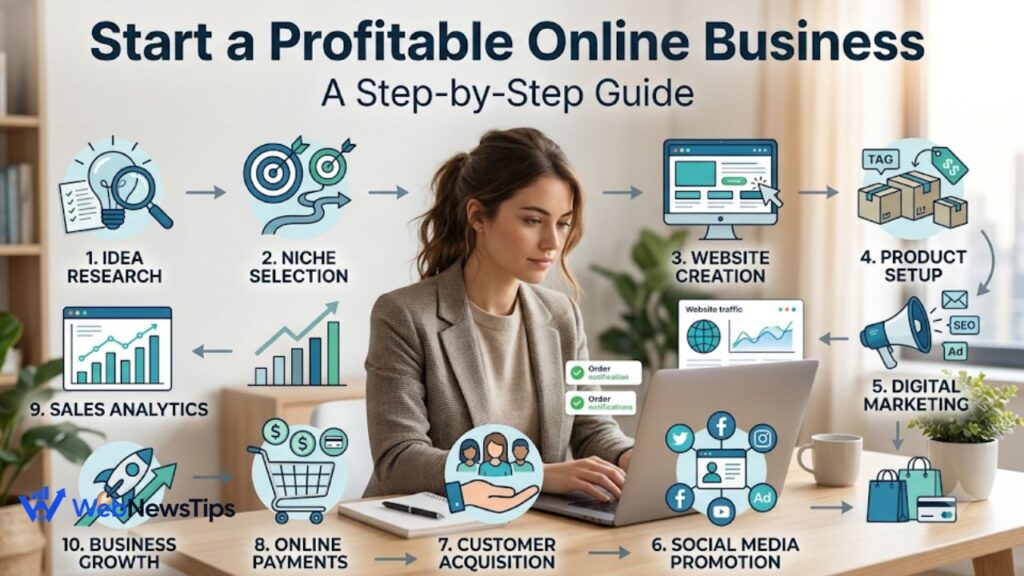
A narrow product usually sells more easily than a vague one. “Small Business Content Calendar for 30 Days” tells a buyer what the product does. “Ultimate Business Bundle” says much less. If you are building the product as part of a larger business, this guide to starting an online business can help you define the customer and offer more clearly.
Step 2: Validate the Idea Before Spending Days Creating It
You do not need a complicated research project. Before building the full product, check whether people already search for the problem, ask about it, or buy related solutions. Review your own analytics, keyword ideas, marketplace listings, forum discussions, and competitor offers. You are not looking for something nobody has ever made. Existing products can be evidence that buyers already understand the category.
Validation also means checking whether your version has a reason to exist. Maybe it is simpler, more specific, easier to edit, designed for a particular profession, or bundled with instructions competitors skip. If you cannot explain the difference in one sentence, improve the positioning before you create 50 pages.
Step 3: Create the Smallest Useful Version First
Beginners often overbuild. They plan a 100-page ebook when a 25-page practical guide would solve the problem. They create 80 planner pages when buyers may use only 12. Start with the smallest version that delivers the promised result. You can add bonus pages, new formats, or advanced versions later after customers show you what they value.
Keep the design clean and easy to use. Use readable fonts, consistent spacing, clear headings, and enough white space. For templates, test every editable field. For spreadsheets, test formulas with different sample values. For printables, export a print-ready PDF and check common paper sizes. For ebooks, test the file on both desktop and mobile-sized screens when possible.
Include a simple instruction page
A good digital product should not make the customer guess what to do next. Add a short “Start Here” page explaining what is included, which software is needed, how to duplicate or edit the file, and where to contact you if something is broken. This one page can prevent many support messages.
Step 4: Decide Your File Format, License, and Product Terms
Choose formats based on use: PDFs for ebooks and printables, spreadsheets for calculators or trackers, editable template links for design files, and organized ZIP folders for bundles. Keep delivery simple and test that every file opens correctly.
State whether the purchase is for personal, business, or limited commercial use, and explain sharing or resale limits. Publish clear refund and cancellation terms that fit your platform and applicable laws. Tax, VAT, consumer rights, and licensing rules vary by location, so verify requirements for the markets where you sell.
Step 5: Price the Product Around Value, Not Page Count
A 10-page template that saves a business owner five hours can be worth more than a 70-page ebook filled with general information. Price around usefulness, specificity, time saved, and the alternatives available to the buyer. Your audience size also matters: a lower-priced starter product can be easier to test with a small audience, while specialized business tools may support a higher price.
Set a sensible standard price rather than relying on permanent discounts. Use launch pricing, bundles, or bonuses only when they support a real promotion.
Step 6: Build a Sales Page That Answers Buying Questions
Your sales page does not need clever hype. It needs clarity. The reader should quickly understand who the product is for, what problem it solves, what files are included, how delivery works, and what result they can reasonably expect. Add previews of real pages or template screens so the buyer is not purchasing a mystery file.
A simple sales page structure
- Clear headline describing the result or problem solved.
- Short explanation of who the product is designed for.
- Bullet list of exactly what the buyer receives.
- Preview images or mockups that accurately represent the files.
- Price, purchase button, delivery information, and product terms.
- Frequently asked questions covering software, format, use, and support.
The product page should feel like useful content, not a wall of sales language. The WebNewsTips content marketing guide explains the same principle: understand the audience first, then create content that helps them move toward a decision.
Step 7: Set Up Payment and Automatic Delivery
Use a checkout or ecommerce setup that accepts payment and automatically provides the download or access instructions. Compare transaction fees, payment methods, tax features, file limits, email delivery, and payout availability before choosing a platform.
Test the entire checkout yourself before launching. Place a test order or use a platform test mode. Confirm that the payment completes, the buyer receives the correct email, the download link works, the file opens, and the thank-you page points to the right next step. A beautiful product cannot recover a sale if the customer pays and then cannot find the file.
Step 8: Promote the Product Through Helpful Blog Content
Your blog can become the strongest sales channel because the product can appear naturally beside related information. Create articles that solve parts of the same problem and link to the paid resource when it genuinely helps the reader go further. A budget template, for example, can be linked from articles about monthly planning, cash-flow mistakes, and expense tracking.
Use internal links in both directions. Relevant blog posts can point to the product page, while the product page can link back to useful free tutorials. This creates a better reader journey and gives visitors more reasons to stay on the site. For a broader traffic plan, the WebNewsTips digital marketing guide covers practical ways to combine search, content, email, and social promotion.
Step 9: Build an Email List Around the Same Problem
Not every visitor is ready to buy immediately. Offer a related free checklist, sample template, or short chapter, then follow up with helpful emails that teach, answer objections, and introduce the paid product naturally. The WebNewsTips email marketing guide for small businesses is a useful starting point for this system.
Step 10: Track Sales and Improve the Product
Once the product is live, measure more than revenue. Look at which blog posts send visitors to the sales page, which traffic sources bring engaged readers, where people leave, and which calls to action get clicks. Your checkout platform should remain the source of truth for orders and payments, while website analytics helps explain the journey before the purchase.
Google Analytics 4 can help you understand traffic sources and important on-site actions. The WebNewsTips Google Analytics 4 guide for beginners explains sessions, events, and acquisition reports in simple terms. Over time, use customer questions and analytics together: improve the product page if people are confused, improve the product if buyers ask for the same missing feature, and expand content around topics that repeatedly lead to sales.
Common Mistakes When Selling Digital Products
- Creating a product before confirming that a real audience has the problem.
- Making the file huge instead of making the result clear and useful.
- Using attractive mockups that do not accurately show what the buyer receives.
- Forgetting instructions, licensing terms, support details, or delivery testing.
- Expecting one social post to create steady sales without an ongoing traffic plan.
- Ignoring customer feedback after launch because the product is “finished.”
A Simple 30-Day Launch Plan
In week one, choose one reader problem and validate it using your blog data, search behavior, and competitor research. In week two, create the minimum useful product and test every page, link, formula, or editable field. In week three, build the sales page, checkout, delivery email, product previews, and one small free lead magnet. In week four, publish two or three related blog posts, email your list, share the useful content on your main social channel, and watch what people click.
At the end of the month, review the full funnel. Low visits suggest a traffic problem; visits without purchase clicks point to the offer or page; checkout drop-offs may signal price, trust, payment, or technical issues. Fix the weakest step instead of rebuilding everything.
Frequently Asked Questions
What digital products are easiest for beginners to sell?
Simple templates, checklists, planners, spreadsheets, and short practical ebooks are usually easier to create and test than a large course or complex membership. Choose the format that solves the problem with the least friction.
Do I need a large blog audience first?
No, but you do need the right visitors. A small group of readers with a specific problem can be more valuable than a large audience that has no reason to buy. Start with a focused product and traffic from closely related articles.
Can I sell the same digital product more than once?
Usually yes, if you own the necessary rights and your terms allow repeated sales. Check that any third-party fonts, images, templates, or other assets also permit the way you use them.
Should I sell one product or a bundle?
Start with one clear product when possible. Once you know what buyers value, you can create a bundle, premium version, or related product. Bundling too early can hide which part of the offer actually creates demand.
Final Thoughts
Learning how to sell digital products is less about finding a magic platform and more about building a clean system. Find a real problem, create the smallest useful solution, explain it clearly, make payment and delivery reliable, then bring targeted readers to the offer through content and email. Your first ebook, template, or planner does not need to be perfect. Make it useful, honest, easy to buy, and easy to use. Launch, learn from real customers, and improve it from evidence; one strong product can eventually grow into a useful digital product library.